
Cloud infrastructure is no longer a luxury-it’s essential for staying competitive. Many small business owners hesitate because migration feels complex and risky.
Migrating to Azure cloud doesn’t have to be overwhelming. This guide walks you through each phase, from planning to execution, so you can move your business forward with confidence.
Why Azure Matters for Your Bottom Line
Azure migration directly addresses the three challenges keeping small business owners up at night: runaway IT costs, the inability to scale quickly, and security vulnerabilities that expose your data. Moving to Azure shifts your spending from capital expenditures to operational expenses, meaning you pay only for what you actually use each month instead of investing in expensive hardware that sits idle. This consumption-based model gives small businesses real flexibility-resources scale up automatically when demand spikes and scale down when it doesn’t, preventing the waste that comes with static on-premises infrastructure.
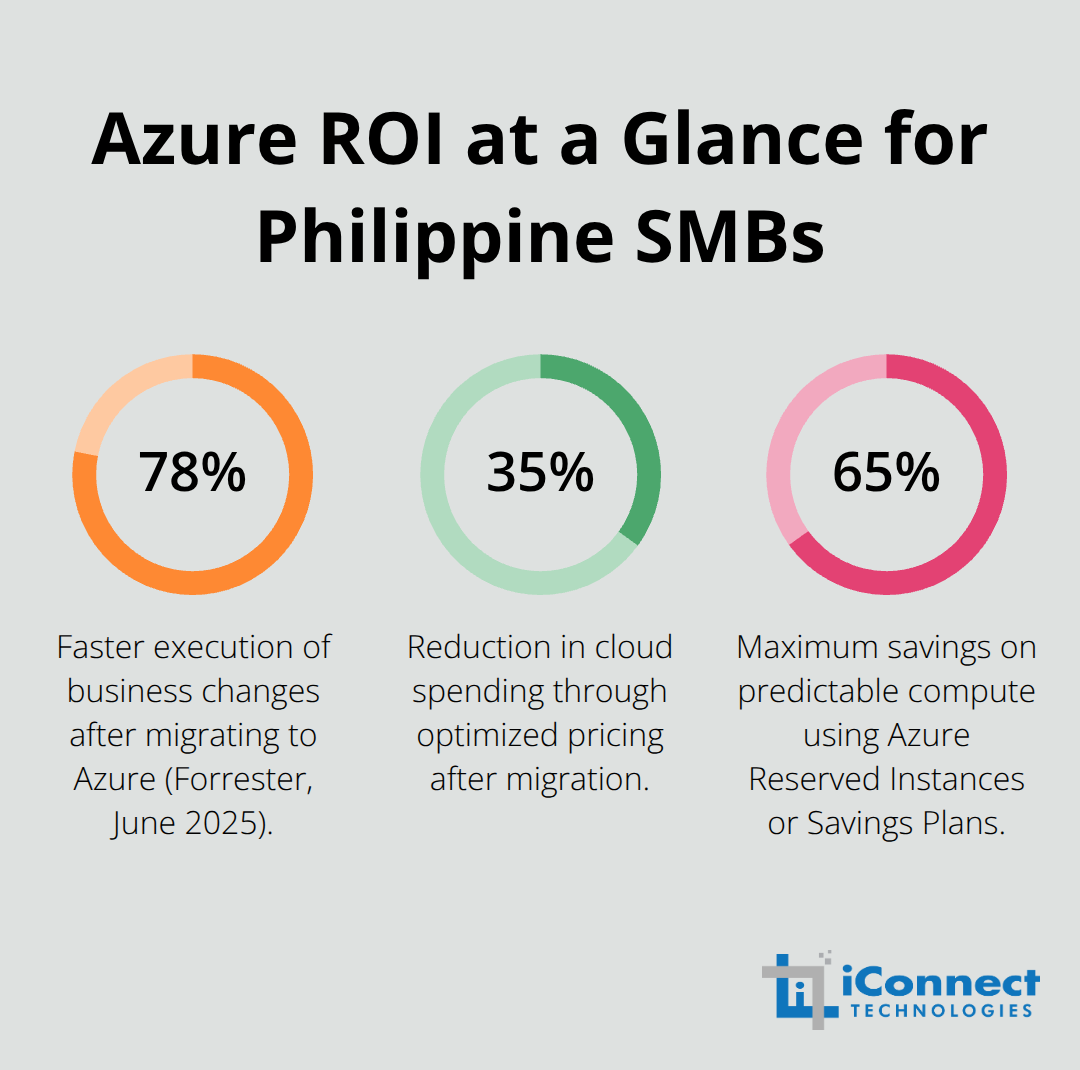
Independent analysis from Forrester Consulting in June 2025 shows that businesses migrating to Azure execute business changes 78% faster and reduce cloud spending by 35% through optimized pricing. Cost savings typically range between 11% and 65% depending on your workload and licensing strategy, with some organizations achieving significant reductions through Azure Hybrid Benefit when they reuse existing Windows Server or SQL Server licenses.
The Real Cost Advantage
Your current on-premises setup requires ongoing maintenance, power, cooling, and server replacements-expenses that hide in your IT budget but compound annually. Azure eliminates these hidden costs and lets you forecast expenses accurately using the Azure Pricing Calculator before migration. Small businesses particularly benefit from Azure Reserved VM Instances and the Azure Savings Plan for compute, which cut costs by up to 65% off standard rates for predictable workloads. The shift from capital spending to operational spending also improves cash flow, letting you invest in growth instead of infrastructure.
Scaling Without the Headaches
Your business needs flexibility to handle seasonal spikes, new customer onboarding, or unexpected growth. On-premises systems force you to over-provision to handle peak demand or restrict growth to avoid infrastructure costs. Azure eliminates this trade-off-you spin up resources in minutes and adjust capacity in real time based on actual demand. High availability is built in across Azure services with standard SLAs of 99%, 99.9%, or 99.95%, often outperforming what you can achieve with traditional hardware.
Security That Doesn’t Drain Your Budget
Compliance isn’t optional anymore. Azure provides multi-layer security, AI-driven threat monitoring, and built-in compliance with GDPR, HIPAA, and ISO/IEC 27001 standards. More than 90% of Fortune 500 companies trust Azure for these protections, and Microsoft invests billions annually in security infrastructure you’d never afford to build independently. This security-first approach protects your customers’ data while reducing the risk of costly breaches.
With these advantages clear, the next step is to assess whether your business is ready for migration and what approach will work best for your specific situation.
How to Assess and Plan Your Azure Migration
Discover What You Actually Run
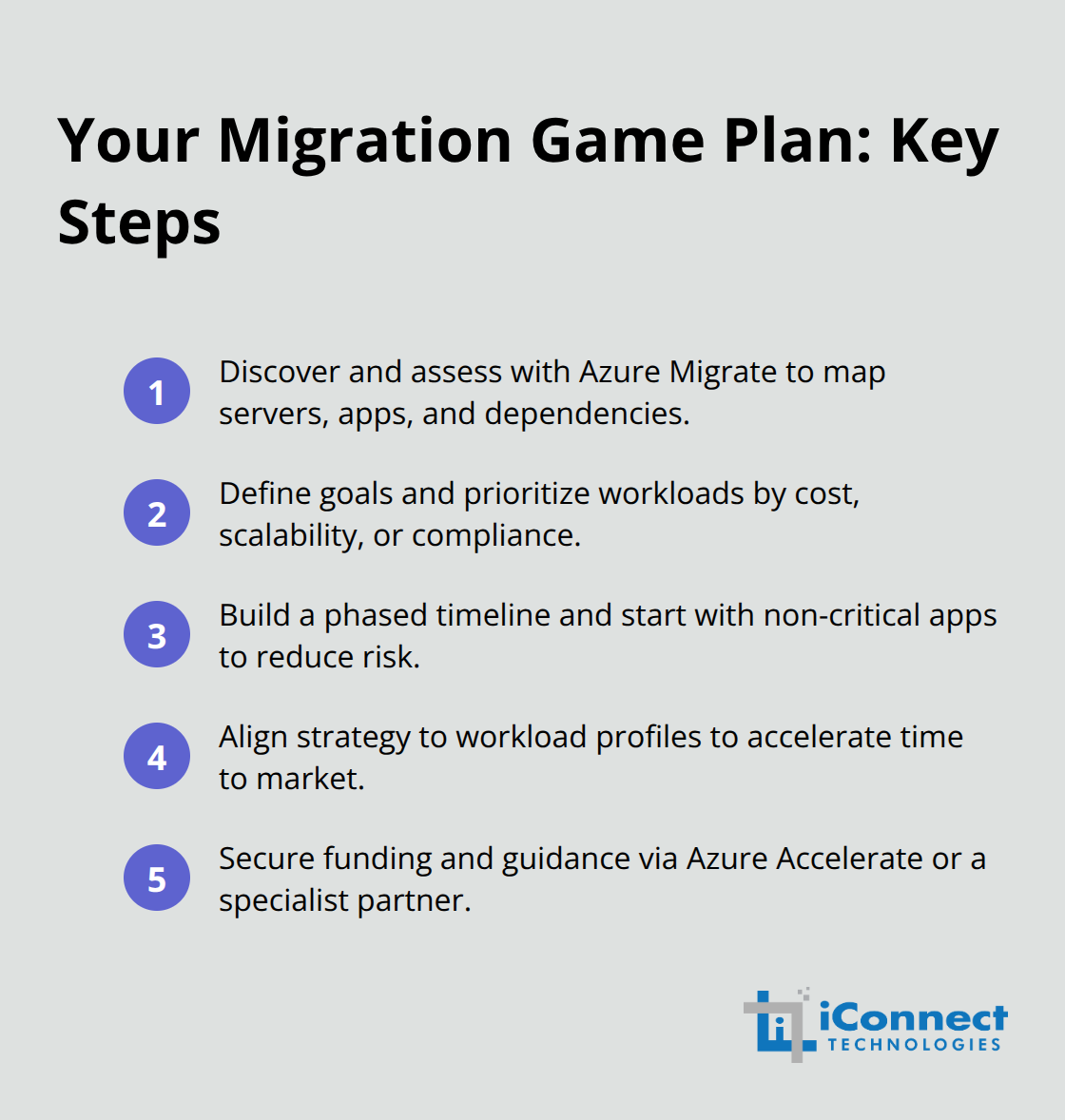
You cannot migrate what you don’t understand. Azure Migrate, Microsoft’s free assessment tool, discovers every server, application, and dependency in your on-premises environment, then calculates readiness scores and estimates costs based on your actual workloads. This assessment typically takes two to three weeks and reveals which applications will transition smoothly via lift-and-shift, which need refactoring, and which might require rebuilding from scratch. The data you gather here becomes your migration roadmap.
Most small businesses uncover more applications than they realized, many of which consume more compute resources than necessary. This visibility alone often justifies the assessment phase because you’ll identify underutilized systems you can retire before migration, reducing your Azure footprint and monthly bills. Forrester Consulting’s June 2025 analysis shows that businesses aligning migration strategy with actual workload profiles achieve 43% faster time to market for new products, meaning a thoughtful assessment directly accelerates your competitive advantage.
Set Clear Migration Goals and Priorities
You must define your migration goals with precision before you touch anything. Are you chasing cost reduction, scalability to support growth, or compliance requirements driving your decision? Each goal demands a different approach. If cost is primary, focus on rehosting (lift-and-shift) to minimize complexity and capture quick wins-expect 11% to 65% savings depending on your licensing strategy and whether you use Azure Hybrid Benefit. If you need modern capabilities like AI-driven analytics or container orchestration, plan for refactoring or rebuilding, which takes longer but unlocks innovation.
Build a Realistic Timeline and Phased Approach
Set a realistic timeline too-most small business migrations take three to nine months depending on workload complexity, staff availability, and whether you partner with specialists. Start with non-critical applications to validate your process, then move mission-critical systems once your team gains confidence. This phased approach reduces risk and lets you learn Azure’s governance, cost management, and security features without betting your entire operation on a single cutover.
The Azure Accelerate program provides funding and guidance specifically designed to help businesses structure their migration timeline and remove financial barriers to adoption. Specialists in cloud migration can help you avoid common delays and accelerate your path forward.
Prepare for Execution
With your assessment complete, goals defined, and timeline established, you now have the foundation to move forward with confidence. The next phase focuses on preparing your applications and data for the actual transition to Azure.
Executing Your Azure Migration Successfully
The assessment and planning work you completed in the previous phase revealed what you own, where you’re going, and how you’ll get there. Now comes the phase that separates successful migrations from stalled projects: execution. This is where theory meets reality, and small business owners discover that migration succeeds or fails based on preparation, not luck.
Inventory and Categorize Your Workloads
Start with a complete inventory of every application and database slated for migration, then categorize each by complexity and criticality. Applications that run on standard Windows Server or SQL Server represent ideal candidates for lift-and-shift rehosting, which requires minimal code changes. However, applications dependent on legacy systems, custom integrations, or obsolete frameworks demand refactoring or rebuilding, which extends timelines but unlocks modern cloud capabilities like auto-scaling and AI integration. This categorization determines your migration sequence and resource allocation.
Test Your Migration Process with a Pilot
Before moving anything to production, run a pilot migration on a non-critical application to validate your process, test your team’s Azure knowledge, and identify gaps in your networking, security policies, or application dependencies that you missed during assessment. This pilot typically takes two to three weeks and costs 15 to 20 percent of a full application migration, but the insights prevent far costlier mistakes when you move mission-critical systems. Azure Database Migration Service handles database transitions with minimal downtime by replicating data in real time and coordinating cutover windows, reducing the risk of data loss or corruption that derails migrations.
Manage Downtime and Risk with Redundancy
Downtime and risk management demand ruthless honesty about what you can afford to lose. Critical applications like customer-facing systems, billing platforms, or inventory management systems cannot tolerate extended outages, so plan for Azure Site Recovery or database replication strategies that maintain service continuity during cutover. This approach costs more upfront because you run parallel systems temporarily, but the cost of a six-hour production outage for most small businesses exceeds the cost of careful redundancy by a factor of five or ten. Document every dependency, every integration point, and every manual process that touches each migrated system, then test failover and failback procedures in a staging environment before touching production.
Enforce Security and Governance from Day One
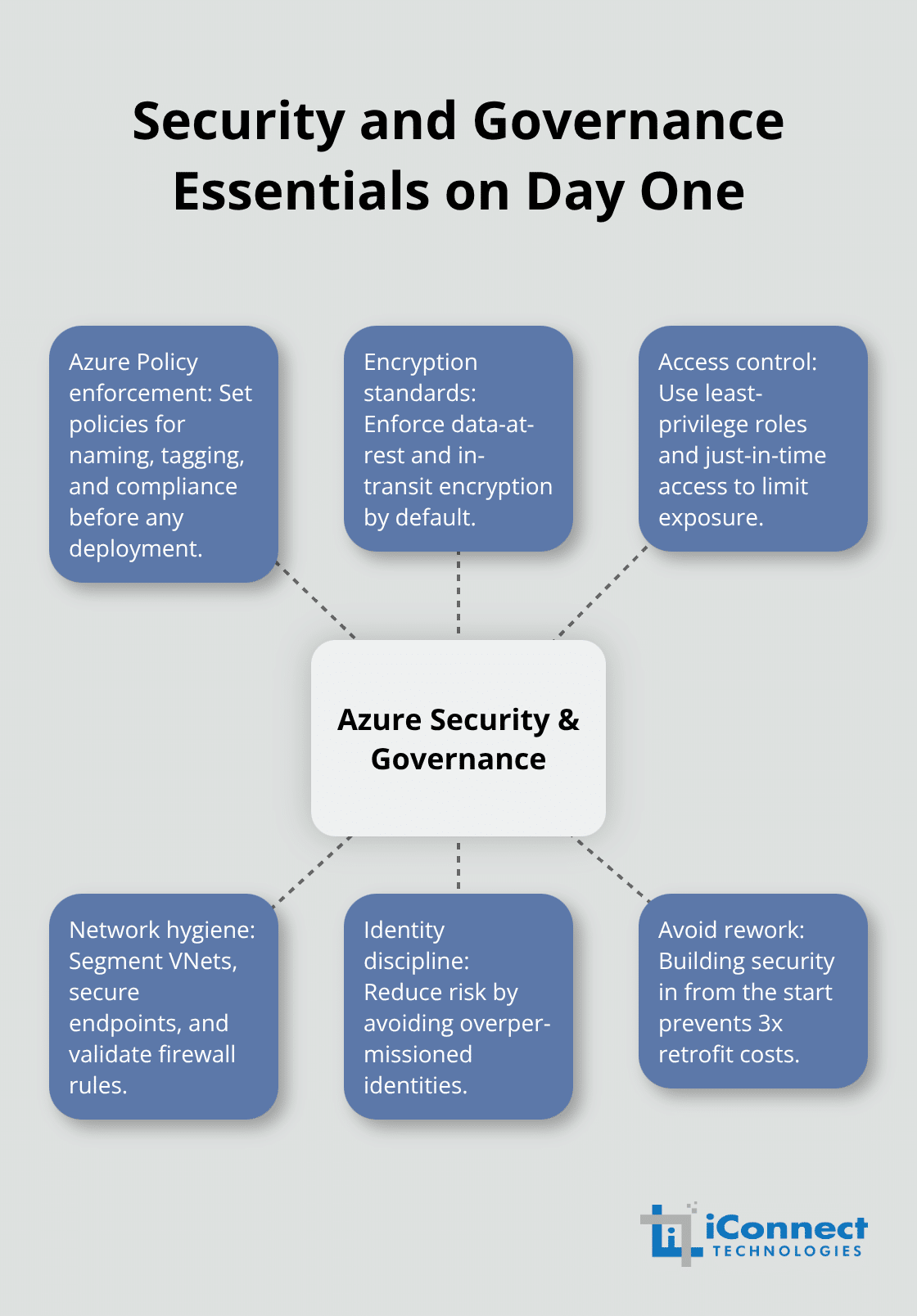
Security and governance cannot be afterthoughts. Configure Azure Policy to enforce naming conventions, encryption standards, and resource access controls before your team deploys anything, because retrofitting security into an already-deployed environment costs three times as much as building it in from the start. A single poorly configured virtual network or overpermissioned identity can create security vulnerabilities that take months to identify and remediate, so prioritize this work early.
Build Your Team’s Azure Expertise
Your team’s Azure proficiency directly determines migration speed and post-migration stability, so invest in hands-on training before migration begins. Microsoft Learn offers free Azure fundamentals and administrator courses, and specialized training providers deliver role-specific instruction focused on the exact services you’re deploying. Assign an internal project owner with authority to make decisions and resolve conflicts, because migrations stall when decision-making requires approval chains that move slowly. This owner should have weekly visibility into progress, blockers, and cost burn, and should communicate status to leadership monthly so surprises don’t derail commitment to the project.
Final Thoughts
Migrating to Azure cloud transforms how your business operates, but success demands action beyond planning. Your assessment revealed your current environment, your planning established your roadmap, and execution delivered your systems into the cloud. The real opportunity emerges in the months following deployment, when you optimize resource allocation, refine security policies, and align your team’s Azure practices with your business objectives. Use Azure Cost Management to monitor spending patterns and identify opportunities where you can rightsize resources that consume more capacity than necessary.
Post-migration optimization also means staying current with new Azure services and capabilities that accelerate your competitive advantage. Azure’s AI and analytics services evolve rapidly, and services you dismissed as unnecessary during initial planning may become essential as your business grows. Schedule quarterly reviews with your team to evaluate emerging services against your business priorities, and adjust your reserved instances and savings plans as your usage patterns stabilize. Specialized Azure partners bring experience from dozens of migrations and can accelerate your path to cloud maturity while preventing costly mistakes that drain budgets and delay results.
Your migration represents a strategic commitment to scalability, security, and operational efficiency. The foundation you’ve built through careful assessment, deliberate planning, and disciplined execution positions your business to compete effectively and adapt quickly to market changes.